Move tabs
Move the current tab left or right in the tab strip with Ctrl+Shift+H/L.
Chrome extension
Keyboard-first tab and group control for Chrome. Move, pin, group, ungroup, and close tabs without reaching for the mouse.
Tab Key is now available on the Chrome Web Store.
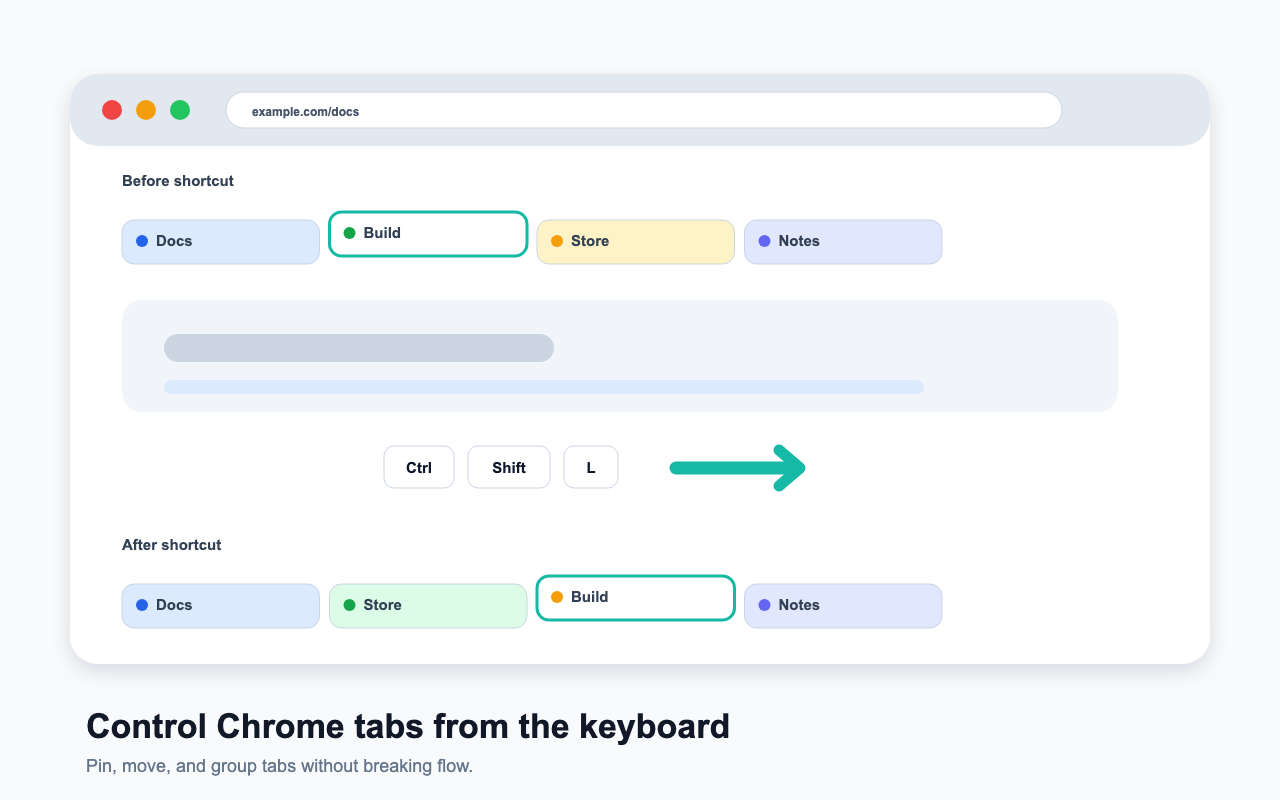
Keep the frequent tab operations on global shortcuts, and put the expanding set of group actions behind one activation key.
Move the current tab left or right in the tab strip with Ctrl+Shift+H/L.
Toggle the current tab's pinned state with Ctrl+Shift+P.
Open the popup, then press g to group the current tab or remove it from its group.
Use h and l in the popup to move the current tab into the nearest group on the left or right.
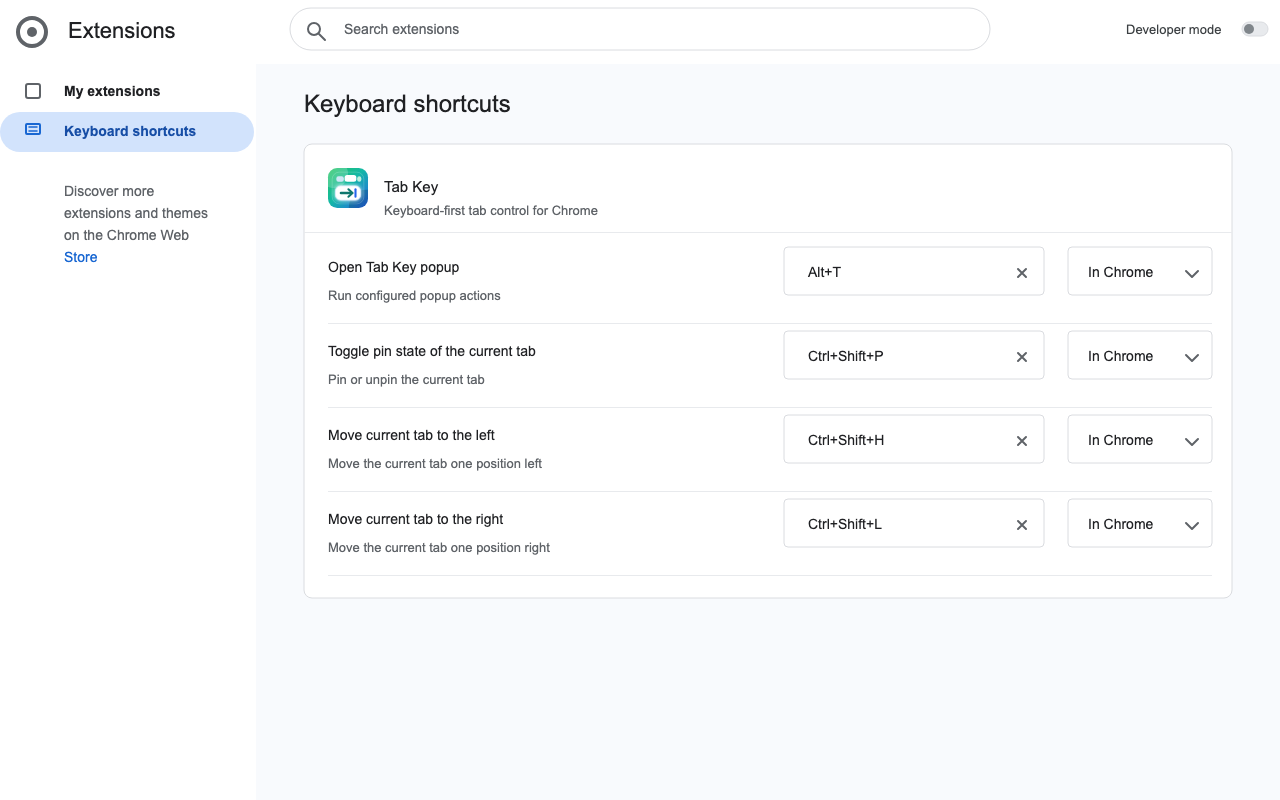
Chrome allows only a small number of native extension shortcuts. Tab Key keeps those for the actions used constantly, then uses a popup for the rest.
| Open popup | Alt+T, or MacCtrl+T on macOS |
|---|---|
| Toggle pin | Ctrl+Shift+P, or MacCtrl+Shift+P on macOS |
| Move left | Ctrl+Shift+H, or MacCtrl+Shift+H on macOS |
| Move right | Ctrl+Shift+L, or MacCtrl+Shift+L on macOS |
| Popup actions | g group/ungroup, x close group, h/l move to the nearest left/right group. |
The popup waits for a key press and shows the currently configured actions. Change the popup action keys from the extension options page without using Chrome's limited shortcut slots.
Tab Key performs tab and group actions locally in the browser. It has no analytics, ads, tracking, or remote service dependency.
tabs identifies, moves, pins, groups, ungroups, and closes tabs at your request.tabGroups creates and updates tab groups for group actions.storage saves popup action key mappings in Chrome sync storage.See the full privacy policy for details.